
More customers in Karnataka now search for a shop on their phone before they step out. They want to know if you are open, whether you have the item, what it costs and whether you deliver. A website for shop owners answers those questions while you are busy at the counter.
This guide walks through how to make a website for your shop, step by step. It is written for the shops we see on every main road in Karnataka: kirana and provision stores, textile and saree shops, hardware and electrical stores, mobile phone shops, sweets and bakery counters, and pharmacies.
Step 1: Decide what the website must do
Before you think about design, decide on one job for the website. Most shops fall into one of three models.
A catalogue website
The site shows your products, prices (or price ranges), shop timings, location and phone number. Customers browse, then call, WhatsApp or walk in. This is the simplest to run and suits shops where people like to see and touch the product before buying, such as sarees, furniture or tiles.
An ordering website
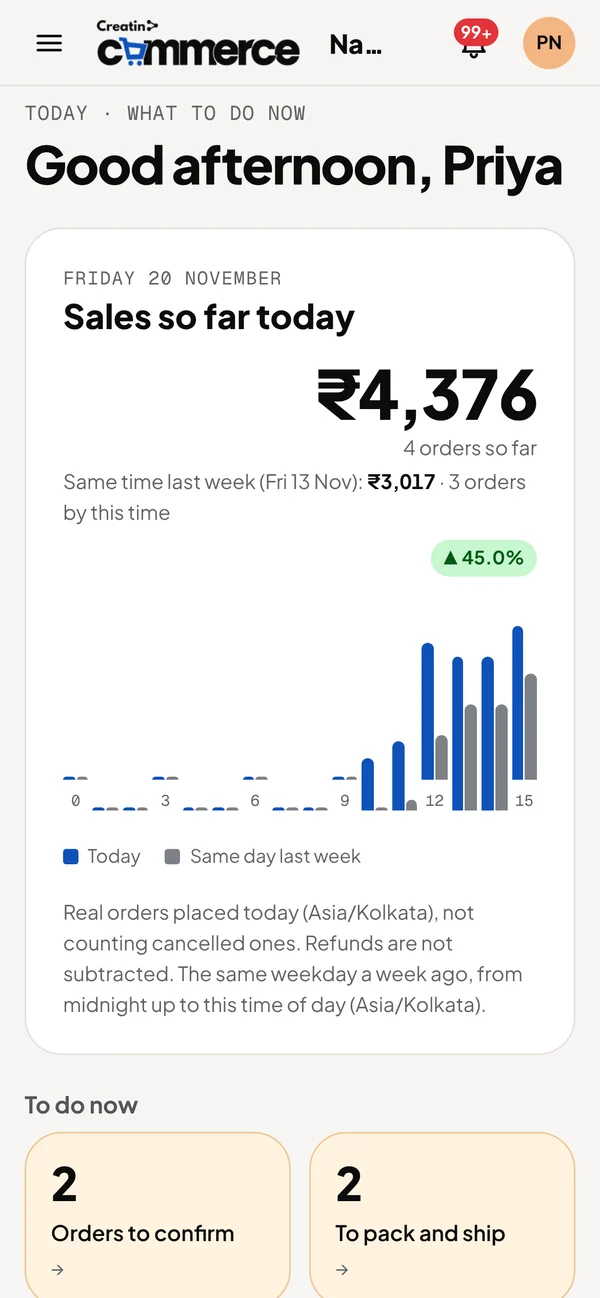
Customers add items to a cart, pay online and choose delivery or pickup. This needs accurate stock and prices, and someone to pack and dispatch orders every day. It suits shops with a steady range of products and a delivery setup. Our ecommerce website development page explains what goes into a full store, and Creatin Commerce brings orders from the website, phone, WhatsApp and counter into one list.
The middle path: WhatsApp ordering
The customer picks items on your website, and the list is sent to your shop's WhatsApp number as a ready message. You reply with the total and a delivery time. There is no online payment step to manage, and your staff already know how to use WhatsApp. When order volume grows, WhatsApp automation can send confirmations and updates for you.
Which model suits which shop
| Shop type | Usual best fit | Things to show clearly |
|---|---|---|
| Kirana and provisions | WhatsApp ordering | Delivery area, minimum order, timings |
| Textiles and sarees | Catalogue with WhatsApp enquiry | Fabric, colours, price range, new arrivals |
| Hardware and electricals | Catalogue by category, quote request | Brands stocked, bulk enquiry for contractors |
| Mobile phones and accessories | Catalogue plus service booking | Models in stock, repair services, EMI enquiry |
| Sweets and bakery | Pre-orders for festivals and events | Menu, order cut-off times, food licence number |
| Pharmacy | Catalogue plus prescription on WhatsApp | Timings, home delivery area, pharmacist contact |
A note for pharmacies: rules on selling medicines online in India are strict and keep changing. A safe start is a site that shows your timings and delivery area and lets customers send a prescription on WhatsApp, with your pharmacist checking every order. Talk to your licensing adviser before adding online checkout for medicines.
For sweets and other food shops, show your FSSAI licence or registration number on the website, just as you do at the shop.
Step 2: Plan the pages
A shop website does not need many pages. Most need these:
- Home: what you sell, where you are, timings, and buttons to call or WhatsApp.
- Products or catalogue: grouped the way customers think, for example rice and dal, oil and ghee, snacks, cleaning.
- Offers: festival offers, combo packs, new arrivals. Remove expired ones.
- Delivery and payment: delivery area, charges, minimum order, payment options and return rules in plain words.
- About: how long you have been in business, the family or team behind the shop, a real photo of the shop front.
- Contact: address, a Google Map, phone, WhatsApp, timings, and nearby landmarks.
Put the phone number and WhatsApp button where a thumb can reach them on every page. Most of your visitors will be on a phone.
Step 3: Set up payments
Almost every customer in Karnataka now carries UPI, so make paying easy.
- For WhatsApp orders: share your UPI QR code and ID once the total is confirmed, and keep cash on delivery as an option for regular customers.
- For a full online store: a payment gateway accepts UPI, cards and net banking at checkout and confirms each payment automatically. Gateways charge a small percentage of each sale, and our guide to website costs lists typical fees.
- Invoices: if you are GST registered, decide how invoices will be shared, on WhatsApp or by email, before the first order arrives.
Step 4: Fix your delivery radius
Delivery is where shop websites most often go wrong. Write the rules down before launch:
- Area: list pin codes or localities, or set a distance such as 3 km from the shop.
- Minimum order: a value below which you do not deliver, or deliver for a fee.
- Charges: free above a certain order value, a flat fee below it.
- Time slots: morning and evening slots are easier to manage than "anytime".
- Pickup: let customers order ahead and collect, which costs you nothing.
For example, a provision store in Kuvempunagar in Mysuru might deliver within a few kilometres to nearby layouts and offer pickup for everyone else. Whatever your rules, put them on the website so customers do not have to ask.
Step 5: Put your shop on Google Maps
When someone searches "hardware shop near me", Google shows the map listings first. Those come from your Google Business Profile, not your website, so set it up properly: correct category, exact pin on the map, timings, photos and your website link. Our Google Business Profile setup service can do this for you, or follow our guide on how to get your business on Google Maps.
Use exactly the same shop name, address and phone number on the website and the profile. Small differences confuse both Google and customers.
Step 6: Use Kannada and English
Many of your customers will search and read in Kannada, others in English. A shop website that offers both feels local and is easier for elders in the family to use.
- Keep product names the way customers say them. A customer looking for tur dal may well type "togari bele".
- Translate the important parts first: home, delivery rules, timings and contact.
- Do not rely on automatic translation for prices, offers or rules.
Our article on having a Kannada website for your business covers this in more depth.
Step 7: Take photos that sell
You do not need a professional photographer to start. A recent phone and some care go a long way:
- Shoot in daylight near the shop entrance, not under tube lights.
- Use a plain background, such as a white sheet or a clean wall.
- Show size: a saree draped, a tool in a hand, a sweet box next to a ruler.
- Take a clear photo of the shop front and signboard so people recognise it when they arrive.
- Add a few photos of the team at work. Customers like to see who they are buying from.
Avoid stock photos of products you do not actually sell. Customers notice.
Step 8: Keep it up to date
A website with last year's prices or a Diwali offer still showing in March does more harm than good. Decide who in the shop will update it, and how often. Prices and stock for fast-moving items should be checked weekly. Offers should come down the day they end.
Every website we build comes with the Creatin Web app, so you or your staff can change photos, posts and items from a phone between customers.
Working with shops across Karnataka
We are based in Ullal in west Bengaluru and work with businesses across Karnataka over calls, video calls and WhatsApp, visiting when it helps. If your shop is in Mysuru, our Mysuru website development page explains how we work there. We also work with shop owners in Hubballi, Mangaluru and other towns, and the steps above are the same wherever you are.
Start with a short call
You do not need everything ready to begin. Bring your product list, a few photos and your delivery rules, and we will help you decide between a catalogue, WhatsApp ordering or a full store. Book a free call and we will reply within a day with honest advice and a fixed written quote.
Frequently asked questions
Can I take orders on WhatsApp instead of building a full online store?
Yes. Many shops start with a catalogue website where customers pick items and send the list to your WhatsApp in one tap. You confirm stock, the total and delivery on chat. It is simpler to run than a full store and works well for kirana, sweets and hardware shops.
How many products should I put on my shop website at the start?
Start with the items people ask for most and the ones with the best margin, with clear photos and prices. A smaller, accurate catalogue is better than a large one with wrong prices or missing stock. You can add more once the routine of updating is settled.
Can customers pay by UPI on my shop website?
Yes. The simplest way is to show your UPI QR code and ID for orders confirmed on WhatsApp. For a proper online store, a payment gateway accepts UPI, cards and net banking at checkout and confirms each payment automatically, for a small fee per transaction.
Will a website help my shop appear on Google Maps?
Google Maps listings come from your Google Business Profile, not your website. But linking the two, with the same shop name, address and phone number on both, helps customers trust what they see and gives them somewhere to go for products, prices and timings.
Can I change prices and photos myself after the website is live?
With the right setup, yes. Every website we build comes with the Creatin Web app, so you can update photos, posts and items from your phone. Our Creatin Commerce product handles full online stores with orders from every channel in one list.