
The busywork, done for you on WhatsApp
Your customers already message you on WhatsApp. The trouble is everything that happens after: someone has to reply, send the brochure, note the lead, make the invoice, send it, and chase the payment a week later. WhatsApp automation in Bangalore and across Karnataka is how growing businesses take that load off their staff.
At Creatin Tech Solutions we connect your business number to the official WhatsApp Business API, then build the flows that run on it: instant replies to enquiries, booking and site visit slots, GST invoices, payment reminders and the owner's daily report. The messages go out from your own number, in your name.
If you are new to the idea and want the basics first, read our guide to WhatsApp automation for small businesses.
What we automate
- Instant enquiry replies: answer the common questions such as price range, location, timings and availability within seconds, day or night, and send the brochure or catalogue.
- Lead capture: every new enquiry is saved with name, number and what they asked for, and added to your CRM or sales sheet automatically.
- Bookings and visits: let customers pick a slot for a site visit, appointment, table or room enquiry, with a reminder before the time.
- GST invoices and statements: send the invoice as a PDF on WhatsApp the moment it is made, and monthly statements to regular customers.
- Payment reminders: polite reminders before and after the due date, with a UPI payment link, stopping automatically once paid.
- Order and delivery updates: order confirmed, packed, out for delivery and delivered.
- The owner's daily report: yesterday's sales, collections, new leads and pending work, sent to your phone every morning.
- AI chat replies: for businesses with many repeat questions, an assistant that answers from your own information and hands over to a person when needed.
Looking for a WhatsApp Business API provider?
The free WhatsApp Business app on your phone is fine for a small shop handling messages by hand. It cannot send automated invoices from your software, connect to a CRM, or let several staff answer from one number at the same time. For that you need the WhatsApp Business API, Meta's official platform for businesses.
When people search for a WhatsApp Business API provider, they usually need more than access. They need someone to set it up correctly and build the automations that make it useful. Here is what our setup covers:
- Meta Business account and business verification, using your registration documents.
- Registering your phone number on the API. A number already used on the WhatsApp app has to be moved off it first, so we plan this to avoid downtime.
- Your business display name, profile photo, address and description.
- Message templates written and submitted for Meta's approval: invoices, reminders, confirmations and offers.
- Connecting the API to your website, CRM, billing or store.
- A shared inbox where your staff can see and answer conversations from one number.
What WhatsApp automation costs to run
We give a fixed written quote for the setup and the automations after a free call. Separately, plan for these running costs:
- Meta's message charges. Meta bills businesses for certain template messages, at rates that depend on the message category (marketing, utility or authentication) and the country. Replies to customers inside the customer service window cost far less, and many are free. Check Meta's current rate card, which changes from time to time.
- Any platform or inbox subscription used to run the account.
- Hosting for the automations and integrations we build.
- Support for new templates, new flows and changes as your business changes.
Rules to know before you start
WhatsApp is strict about how businesses message customers, and breaking the rules can get a number limited or blocked. We set things up to stay within them:
- Customers must agree to receive messages from you, for example by messaging you first or ticking a box on your website form.
- Messages you start outside the customer service window must use an approved template.
- Marketing messages should be relevant and not too frequent. People who block or report you hurt your number's quality rating.
- Sending limits grow over time as your number builds a good record, so a brand new number cannot message thousands of people on day one.
Who uses WhatsApp automation in Karnataka
- Builders and real estate firms: instant brochure, price range and site visit slot booking for every enquiry, with leads going straight to the sales team. See our real estate builder website page.
- Schools and colleges: admission enquiry replies, fee reminders and circulars to parents.
- Clinics and diagnostic centres: appointment confirmations, reminders and report-ready messages.
- Shops and online stores: order updates and payment links. Pairs well with an online store.
- Drinking water plants and distributors: monthly statements and jar balances. Bottle Prime sends customer statements on WhatsApp in one tap.
- Resorts and homestays: booking enquiries, advance payment links and directions before arrival.
Connected to the tools you already use
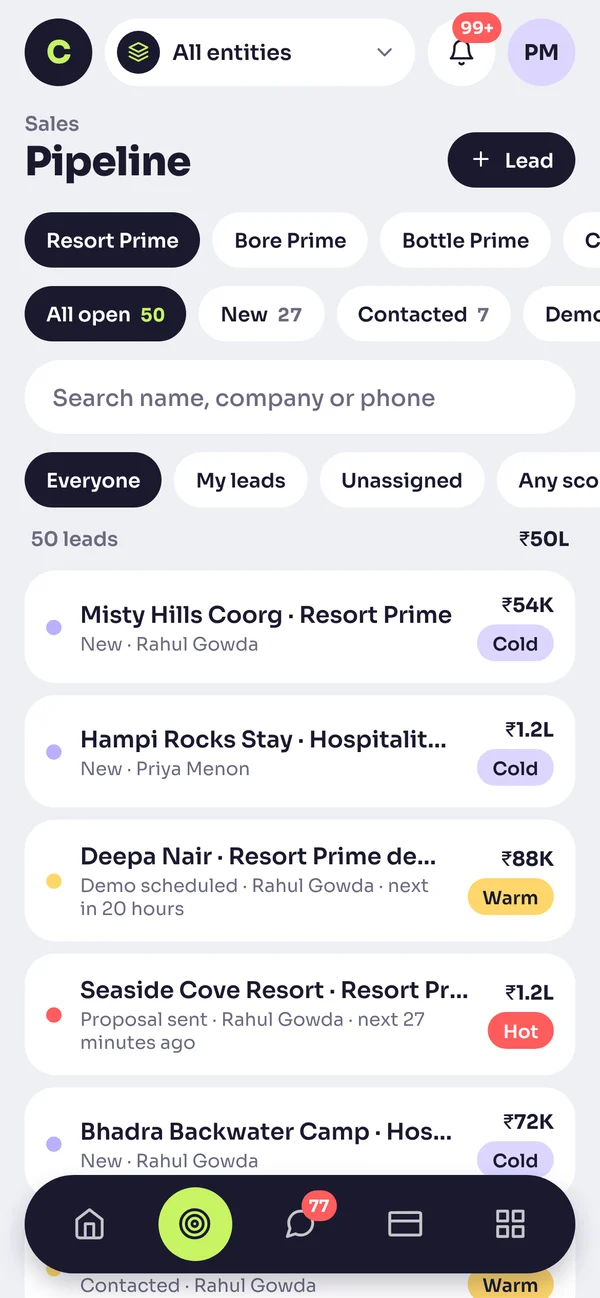
Automation is only useful if it works with your existing systems. We connect WhatsApp to your website forms, your store, Tally and Zoho, and our own products. Leads can flow into Creatin OS, our sales pipeline and follow-up system, so no enquiry gets lost in a salesperson's phone. For bigger systems, see our ERP and CRM development and custom software pages.
Common mistakes
- Using bulk-sending tools that are not part of the official API. Numbers that send unsolicited bulk messages risk being banned.
- Automating everything, so customers never reach a person. Always offer a way to talk to your team.
- Long, robotic welcome messages. Short and useful works better.
- Sending offers every day to everyone, which drives people to block you.
- Setting it up under an agency's account instead of your own business account.
Talk to us
We set up WhatsApp automation for businesses in Bengaluru, Mysuru and across Karnataka, mostly over calls and WhatsApp itself. Send us the questions your staff answer ten times a day and the messages you send by hand. Contact us and we'll reply within a day with honest advice and a clear quote.